
- Published on
openClaw 新手指南
- Authors

- Name
- Bell
一、环境准备
系统要求
- Node.js >= v22.0
- npm(Node 包管理器)
- 推荐系统:macOS / Linux
检查当前环境
node -v    # 查看 Node 版本
npm -v     # 查看 npm 版本
二、安装步骤
一键安装
curl -fsSL https://openclaw.bot/install.sh | bash
安装过程中如果卡住
- 检查 npm 镜像源:
npm config get registry - 切换国内镜像:
npm config set registry https://registry.npmmirror.com - 确认切换成功:
npm config get registry
三、初始配置
安装完成后会自动进入新手引导向导,也可以手动运行:
| 命令 | 作用 |
|---|---|
openclaw onboard | 重新进入新手引导 |
openclaw configure | 手动配置(API Key、模型等) |
openclaw reset | 重置所有配置 |
配置要点
- 模型选择:支持 MiniMax、OpenAI、Claude 等
- 注意:使用 MiniMax 时区分国内站(minimax.com)和国际站,用常规 API Key 模式
四、验证安装
openclaw status    # 查看运行状态
openclaw help     # 查看可用命令
五、初始配置向导
根据终端引导配置,主要包括:models、skills、hooks、可视化界面等模块。
注意:如果使用 MiniMax,要注意是国内站点还是国际站点,使用常规的 API Key 模式。国内站点推荐使用 MiniMax + 2.1 模型。
完成配置后,就可以赋予角色进行对话了。
六、常见问题
Q: 安装卡住不动?
A: 通常是网络问题,参考上面的镜像切换方案
Q: 配置错了想重来?
A: 执行
openclaw reset然后openclaw onboard或openclaw configure
Q: 如何更新版本?
A:
openclaw upgrade或查看官方更新日志
Q: Web UI 状态显示 error?
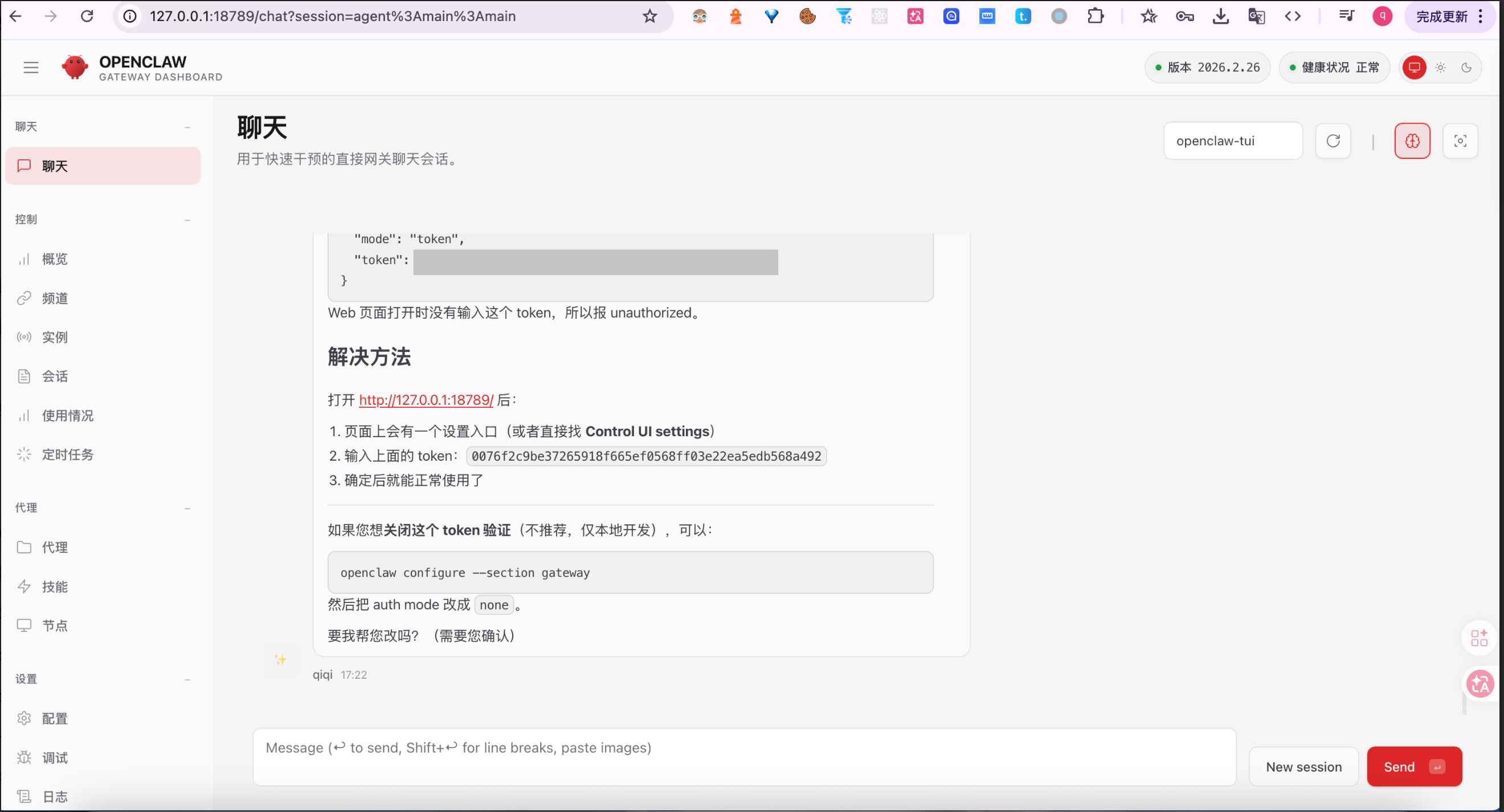
问题描述:终端可以正常对话,但 Web UI 提示
unauthorized: gateway token missing。这是因为 OpenClaw Web Dashboard 需要认证令牌(Token) 才能访问。
解决方案:在 Dashboard 的 Control UI → Settings 中配置 Gateway Token
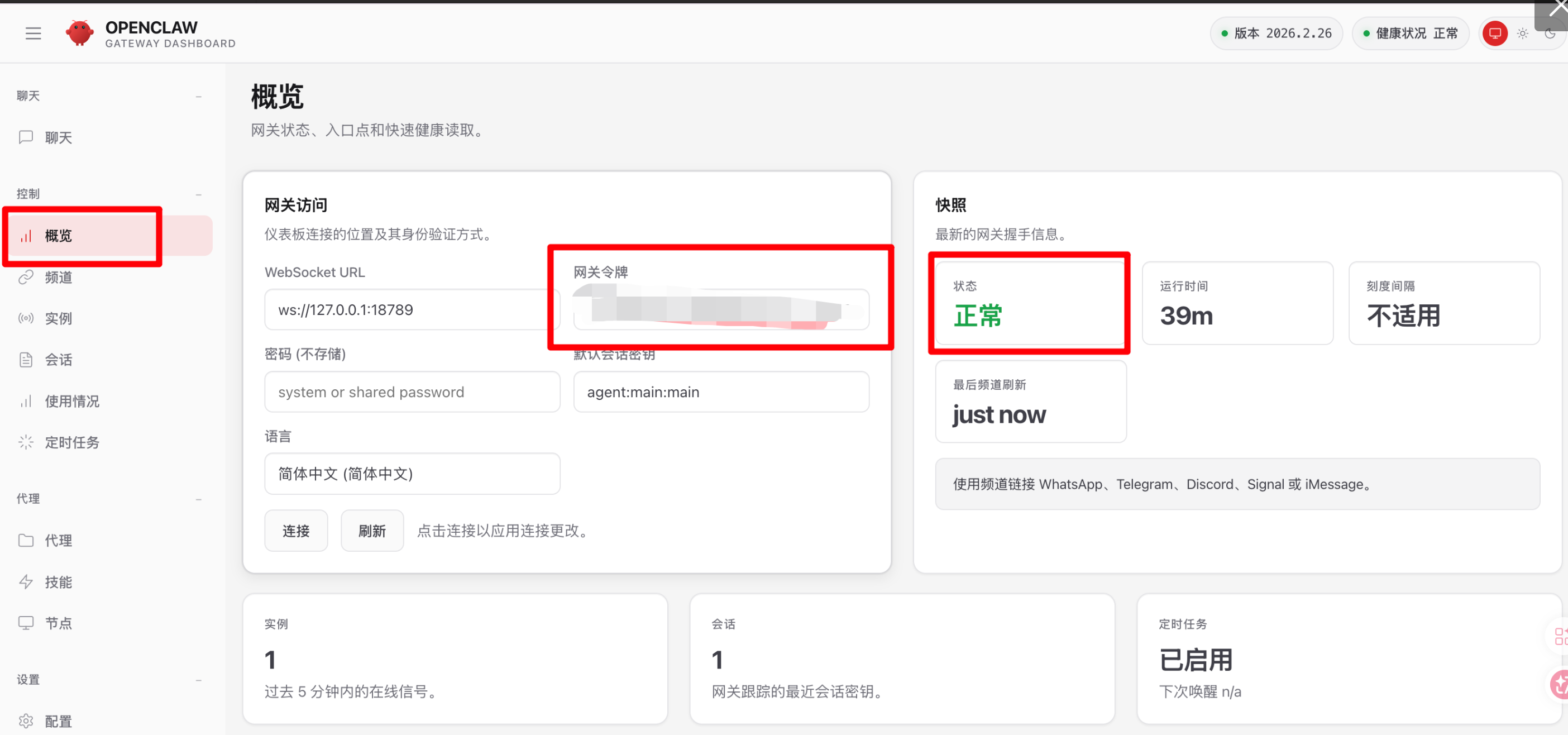
注意:配置之后稍等一会才会生效
七、对接钉钉
7.1 准备工作
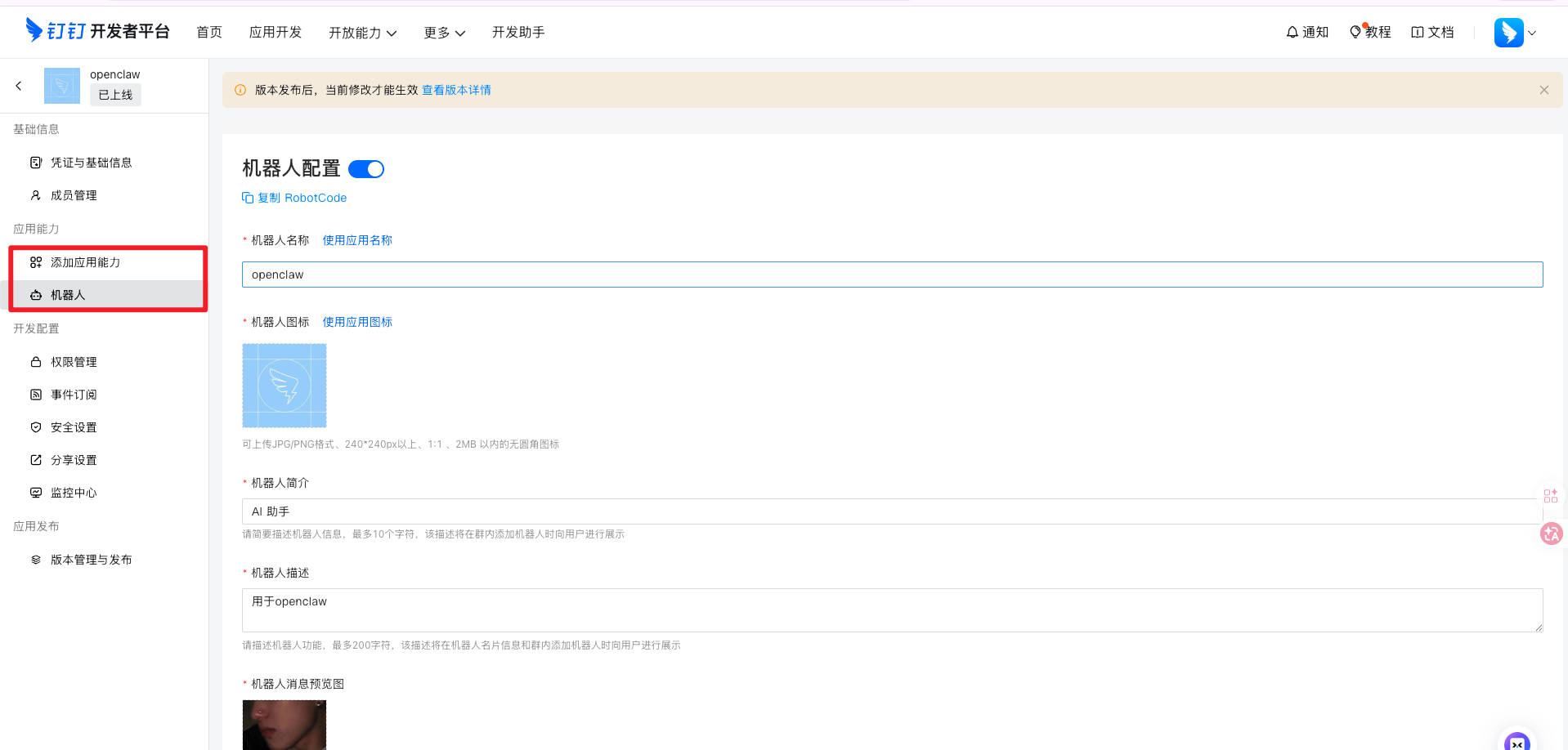
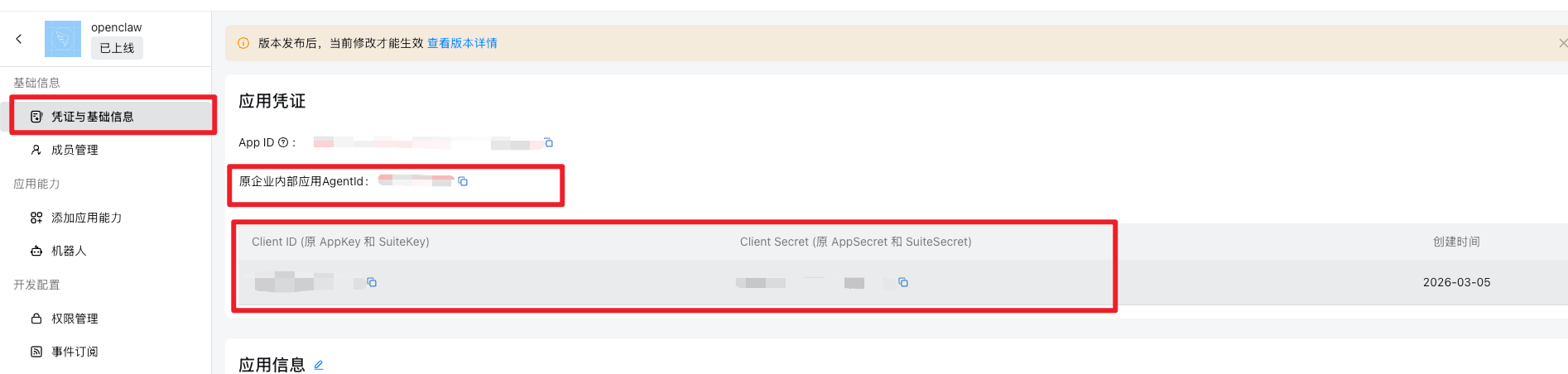
在钉钉开发者平台创建机器人,获取以下参数:
| 参数 | 说明 |
|---|---|
| AppKey | 应用唯一标识 |
| AppSecret | 应用密钥 |
| AgentId | 应用 ID |
| CorpId | 企业 ID |
| RobotCode | 机器人 code |
7.2 安装钉钉插件
# 安装插件
openclaw plugins install @soimy/dingtalk

# 查看插件列表,确认安装成功
openclaw plugins list
7.3 配置钉钉 Channel
编辑配置文件 ~/.openclaw/openclaw.json,新增以下配置:
{
  "channels": {
    "dingtalk": {
      "enabled": true,
      "clientId": "你的AppKey",
      "clientSecret": "你的AppSecret",
      "robotCode": "你的RobotCode",
      "corpId": "你的CorpId",
      "agentId": "你的AgentId",
      "dmPolicy": "open",
      "groupPolicy": "open",
      "messageType": "markdown"
    }
  }
}
或者运行命令进行交互式配置:
openclaw configure
7.4 配置插件参数
安装插件时会要求填写以下参数:
| 参数 | 推荐值 | 说明 |
|---|---|---|
| Card Template Key | content | 卡片模板中用于承载消息内容的字段名 |
| Media URL allowlist | (可留空) | 允许加载的媒体资源 URL 白名单,如 example.com,cdn.example.com |
| Runtime reconnect cycle limit | 50 | WebSocket 连接断开时最大重连次数 |
| Inbound media max size | 10 | 允许接收的媒体文件最大大小(MB) |
7.5 启动并测试
# 启动 gateway
openclaw gateway start

# 或重启
openclaw gateway restart

# 查看 Channel 状态
openclaw channels list
正常状态示例:dingtalk running
7.6 测试机器人
在钉钉中打开应用,私聊机器人或群聊 @机器人进行测试。
例如: @机器人 帮我总结今天的工作
机器人会调用 OpenClaw Agent 进行回复。
八、 上云服务器
这里购买的是 腾讯云提供的 轻量应用服务器Linux 2核2G,openClaw 镜像,只需要配置一下内容既可快捷接入【比本地自己搭建快很多】
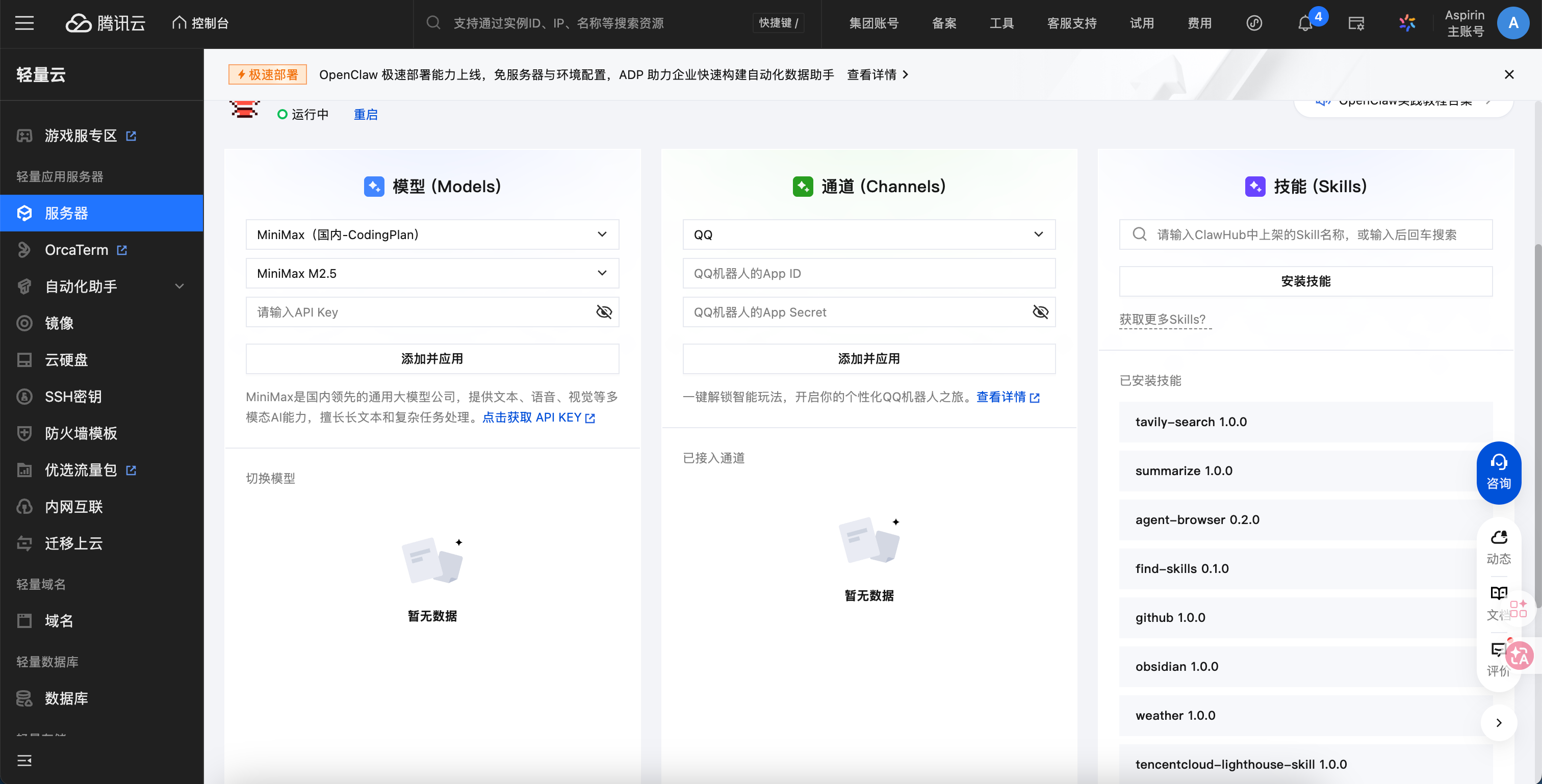
当需要本地开启 web 可视化进行访问; 需要进行反向代理进行
ssh -N -L 18789:127.0.0.1:18789 root@xx.xx.xx.xx [公网 ip]
root@43.163.99.131's password: xxx
进行代理; 后续可以通过本地访问 localhost:18789 进行访问